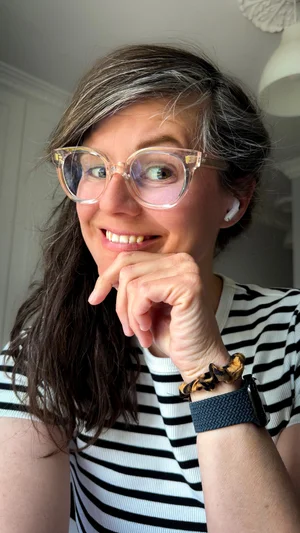
The luxury of making something just for fun
When you’re self-employed (and a parent) I find it becomes hard to do things ‘just for fun’. There are always so many other things that need my attention first. That’s why I almost didn’t make this reel. I knew it wouldn’t get that many views. That it would be short and would probably get lost in the algorithm. That it would look super simple compared to how much effort would go into it, which meant it didn’t even look that impressive.
I nearly didn’t make it, but I was curious how I would go about it and I thought to myself that if I would just document how I made it, I might be able to turn it into something ‘useful’.
It was so much fun doing this project. The challenge gave me the little boost my confidence needed and reminded me of the joy I find in my work.
It’s not about being perfect, it’s about SHOWING UP
Many of my clients come to me worried about content for their online presence, especially for online media. They hear about influencers, about having to post every day and about professionally edited videos, and often give up before getting started.
These sort of benchmarks are needed for people who have a huge following and are worried about not showing up in people’s feed every day, but for creators, musicians and small businesses, it’s all about consistency and coming up with a good basic strategy that is sustainable and feels right for you.
Part of that strategy can be making reels. Reels get a much higher engagement rate on Instagram. This means that many more people see them, share them, use them. It’s Instagram’s main content and that’s why it could be useful to make them for you as well.
You just have to find your people
In finding your filming style, the trick is to find what comes naturally to you. If you feel most comfortable talking to the camera, invest in a good ring light. If you prefer candid behind-the-scenes material, focus on that, finding fun transitions. Cut or uncut footage. Professionally filmed or leaning your phone against a coffee mug. It doesn’t matter, as long as you feel (reasonably) comfortable with it and you keep showing up. Because your audience will find you and love what you’re offering, as long as you do you.
My favourite tools



If you do want to dabble a little (or a lot) in video editing, there are many different tools that are out there. You can find a short list of the tools I regularly use here. These are apps I keep going back to time and time again. They are easy-to-use, not too complicated and do most of the things I feel a phone video app should be able to do. If you want to go any further than this, I would suggest editing on your computer in an app like DaVinci Resolve, which I have heard has the best features and is also very easy to use.
If you’re just getting started, the Instagram Edits app might be the easiest place to start. It works just like the actual Instagram app, but has more features and is a bit less fiddly to use. It also has a great caption feature, which I would always recommend adding to your videos, as many people might end up watching your videos without audio.
I know everyone is raving about Canva and I think it’s a brilliant app. It’s just that I was using Adobe Express way before Canva got so big and I really like the way it works and integrates with all my other Adobe products, so I keep going back to Adobe Express rather than Canva. Canva basically does all the same things; it’s just a bit more ‘on trend’, I would say. With Adobe Express, you’re immediately connected to the Adobe Cloud and all the other Adobe products, which can be very useful if you’re already present in that universe.
Which app I’ll use for what
Video editing, adding my own music and voice-overs I’ll do in InShot. I’ll make any graphics (like specific overlays) separately in Adobe Express and add them manually to InShot. Then I’ll move to Edits and I’ll do some more editing (like if the video is too long) and I’ll add the captions. Then I’ll export to Instagram and I’ll add my caption, tag any people that were involved in the reel and set my location, and that’s it!
Give it a go
I hope getting a behind-the-scenes look at me making a reel will help you on your own social media journey. And if you do get stuck, feel free to have a look in the DIY | ZONE, where you’ll find a collection of articles that will help you on your way. Can’t find what you’re looking for? You can request an article to be made or feel free to get in touch with any questions you might have!